Markdown · Facilitator
Facilitator Guide
The minute-by-minute run sheet: pre-flight checklist, timing, talking points, and a failure-modes table for running this session yourself.
Download .mdIn the next 30 minutes you're going to make two things. First, an AI skill, a reusable set of instructions that teaches Claude Code how to do a job. Then you'll use that skill to turn four of your own quiz questions into a 3D dragon-flight game your learners can play right in a browser.
You will not write a single line of code. Everything you need to paste lives in the gray boxes below, each with its own copy button. Copy the box, fill in your own words wherever you see a [bracket], and hand it to Claude Code. That's the whole trick.
Controls: arrow keys or WASD to steer, SPACE to flap, fly through the ring under the answer you think is right, tap F at the fire question, then land on the glowing circle.
Get these sorted before Part 1 and the whole thing runs smoothly.
Then open Claude Code in a fresh folder. Here's exactly how, on Windows:
my-quiz-game.cmd,
and press Enter. A black window opens, that's your terminal, and it's already pointed at your
folder.claude and press Enter. When Claude greets you, you're in.
On a Mac: open Terminal, type cd with a space after it, drag your folder onto the
window, press Enter. Then type claude and press Enter.
That's it. You do not need to know anything about programming.
A quick word on what you're about to make. A "skill" in Claude Code is just a folder with an instruction file inside. The instructions capture how an expert would do a job, written down once, so Claude does it the same careful way every time. You're about to create the instruction file yourself by pasting it in.
The instructions are the smart part, and you'll build that part by hand. The game engine itself (about 600KB of finished, playtested code) gets downloaded, because nobody should ever retype 600KB of anything.
Use the copy button below, it grabs the whole block for you, starting at the
TASK: line and ending at the line that reads --- SKILL TEXT END ---. Then
paste it all into Claude Code. Yes, the whole thing. It's long because it includes the complete
skill instructions, and that last line is your proof you grabbed it all.
One small heads-up first:
A note for the curious: the skill text below is the exact published version from the public repo, so it keeps its own punctuation and technical wording.
TASK: Turn the skill text below into an installed personal Claude Code skill
named skyvale-quiz-flight.

WHY: I want to understand skills by building one, not just installing it.

OUTCOME: A working skill at ~/.claude/skills/skyvale-quiz-flight/ containing
SKILL.md (exactly the text between the SKILL TEXT markers below) plus four
support files downloaded from the public repo.

CONSTRAINTS: Write SKILL.md exactly as given. It begins at the first --- line
after the START marker (no blank line before it) and ends at the last line
before the END marker. Do not include the marker lines. Do not improve,
reformat, or summarize the text. Download these four files unchanged into the
skill folder:
- assets/index.html from https://raw.githubusercontent.com/Rweiss1014/skyvale-quiz-flight/master/assets/index.html
- assets/three.min.js from https://raw.githubusercontent.com/Rweiss1014/skyvale-quiz-flight/master/assets/three.min.js
- assets/config.sample.json from https://raw.githubusercontent.com/Rweiss1014/skyvale-quiz-flight/master/assets/config.sample.json
- references/customization.md from https://raw.githubusercontent.com/Rweiss1014/skyvale-quiz-flight/master/references/customization.md
Create nothing else.

VERIFICATION: The skill folder contains exactly SKILL.md, assets/index.html,
assets/three.min.js, assets/config.sample.json, and references/customization.md.
The file three.min.js is larger than 500KB, which proves the real engine
downloaded and not an error page. SKILL.md's first line is ---, its second line
is name: skyvale-quiz-flight, and it ends with the words "the exact variable
names it's coded for." If any check fails, tell me plainly which one, because
it likely means my paste got cut off and I need to re-copy the box.

--- SKILL TEXT START (everything between these markers becomes SKILL.md) ---

---
name: skyvale-quiz-flight
description: Turn any 4 quiz questions into a playable 3D dragon-flight learning game (Skyvale) — a single-file, no-build-step WebAudio + Three.js browser game where learners fly through answer gates and breathe fire on the correct banner instead of clicking through a popup quiz. Trigger this whenever someone asks for a quiz game, a gamified training module, an interactive assessment, "make this quiz fun," "the dragon game," an LMS/SCORM microgame, or any request to turn training content / course questions into an engaging playable experience — even if they never say "Skyvale" by name.
---

# Skyvale Quiz Flight

Skyvale is a pre-built, working dragon-flight game. Your job is never to
regenerate the game from scratch — it's to **copy the template and configure
it** with the user's questions. The engine (`index.html` + `three.min.js`) is
finished, playtested, and load-bearing. Treat it as a black box unless the
user explicitly asks you to change game mechanics.

Why template-based: this game has real tuned physics (flight model, fire
range vs. aim-highlight range, ring placement, terrain-clipping avoidance)
that took iteration to get right. Regenerating it from a prompt reintroduces
bugs that are already solved. Configure, don't rebuild.

## 1. Workflow — gather the content

Ask the user for:
- **A topic** (e.g. "OSHA ladder safety," "new-hire benefits enrollment," "spacing effect in learning design").
- **Optionally, their own questions.** If they give you a topic but no
  questions, draft the questions yourself and show them back for approval
  before building — don't guess silently on content that will ship.

You need **exactly 4 questions**, split into two kinds:

| Kind | Count | Answers per question | Answered by |
|---|---|---|---|
| **gate** | exactly 3 | 2-4 options | flying through the ring holding the correct answer |
| **fire** | exactly 1 | **exactly 3** options | breathing fire (tap F) on the banner holding the correct answer |

There are only 3 banner spires in the world, so the fire question is hard
capped at 3 options. If the user's "final" question naturally has 2 or 4+
answers, **adapt it to exactly 3 plausible options** (merge/split distractors
as needed) — don't ask them to pick a different question.

**Fire-question heuristic:** put the highest-stakes / most climactic question
on fire — it's the finale. Gates are the warm-up; the banner burn is the last
thing the player does before landing, so it should carry the question you
most want to stick.

**Answer order doesn't matter.** The game shuffles every question's answers
at load time and remaps the correct index automatically — author `answers`
in whatever order reads naturally and just set `correct` to match.

**Answer length constraint:** answer text renders in the screen-fixed legend
chip at a fixed width (`#legend .row` is `max-width:340px`, text at
`font-size:20px`). Keep every answer to **roughly 40 characters / 6 words or
fewer** — short enough to read in ~2 lines without the row growing awkwardly.
World glyphs (rings/banners) only ever show a letter+shape+color, never the
text itself, so the legend is the only place this matters, but it matters a
lot.

Also collect, per question, a one-line **`why`** — shown in the correct/wrong
feedback toast (it does not feed narration; narration only speaks the `q`
text). **Strongly recommended — draft one per question and include it.**
Without it the toast still fires but reads thin ("Correct! +100 — ").

Default **`passingScore` is 300** (out of a 630-point max run — see scoring
math in `references/customization.md`). Confirm this with the user or use
the default; don't invent a different number without asking.

## 2. Build

1. **Create an output folder** for the user (ask where, e.g.
   `./my-quiz-game/` or a folder named after their topic).
2. **Copy verbatim, do not edit:**
   - `assets/index.html` → `<output>/index.html`
   - `assets/three.min.js` → `<output>/three.min.js`

   These two files are the engine. Do not touch game logic, physics
   constants, or Three.js internals unless the user explicitly asks for a
   mechanics change — that's a different, riskier task than this skill
   covers.
3. **Write `<output>/config.json`** from the collected questions, matching
   this exact schema (this is everything `index.html` reads from the file —
   verified against the fetch/consumption code):

```json
{
  "title": "My Course: Quiz Flight",
  "passingScore": 300,
  "gates": [
    { "q": "Question text?",
      "answers": ["Option A", "Option B"],
      "correct": 0,
      "why": "One-line explanation shown as feedback." },
    { "q": "Second question?",
      "answers": ["Option A", "Option B", "Option C"],
      "correct": 2,
      "why": "..." },
    { "q": "Third question?",
      "answers": ["True", "False"],
      "correct": 0,
      "why": "..." }
  ],
  "fire": {
    "q": "Fourth question — exactly 3 answers?",
    "answers": ["Option A", "Option B", "Option C"],
    "correct": 1,
    "why": "..."
  }
}
```

Field notes:
- `title` — config.title is parsed into `CFG` at load but never used by the
  game's DOM or logic; theme the hardcoded splash strings instead (see step
  3). Still write a meaningful `title` for documentation/authoring clarity,
  but know that changing it alone will not change what the player sees.
- `passingScore` — omitting it (or setting `0`/`falsy`) makes any completion
  count as a pass and hides the "GOAL" text in the HUD and splash screen.
- `gates` — array of 2-4-answer questions, **must contain exactly 3 items**
  (there are exactly 3 gate locations built into the world).
- `fire` — single object, **`answers` must contain exactly 3 items**.
- `correct` is a **zero-based index** into that question's `answers` array,
  set *before* the game's runtime shuffle (author in natural order; the game
  reshuffles on every load and remaps `correct` for you).
- `why` — one-line explanation, shown in the correct/wrong feedback toast.
  **Strongly recommended — draft one per question and include it.**

## 3. Optional theming

Beyond `config.json`, a handful of strings in `index.html` are safe to
string-replace for a lightly reskinned title/quest feel without touching any
game logic. The exact strings and their line context are listed in
`references/customization.md` — always check that file for the current exact
text before editing, since the source `index.html` can shift over time. Keep
edits to *only* the strings listed there. Do not touch anything inside the
`<script>` block except by following that reference doc precisely.

## 4. Run & verify

1. Serve the output folder statically — no build step, and any static
   server on any free port works. `python -m http.server 8000` is the usual
   example, but port 8000 is commonly already occupied — pick a free port
   (e.g. `python -m http.server 8123`), then open `http://localhost:8123/`.
2. **Validate `config.json` before serving**, because config errors fail
   silently (the game just falls back to embedded sample questions with no
   error dialog — a broken custom config looks like "it ignored my
   changes"). Run the ~10-line validation script in
   `references/customization.md` ("Config validation script") rather than
   ad hoc checks — it asserts exactly 3 gates, 2-4 answers per gate, exactly
   3 fire answers, every `correct` index in range, and warns on any answer
   over ~40 characters.
3. Full control list (all read from `readInput()`/keydown handlers):
   `Enter` start · `↑/↓` or `W/S` pitch (climb/dive) · `A/D` or `←/→` turn ·
   `SPACE` flap (speed & take-off) · `SHIFT` glide slow · `F` dragonfire
   (tap, not hold) · `Q` re-read the current question · `N` toggle spoken
   narration · `R` restart.
4. Smoke-test in two tiers — don't skip the MUST-VERIFY tier even if you
   can't do the manual tier:

   **MUST-VERIFY (automatable headless — do these every time):**
   - The server responds 200 at the served URL.
   - The splash screen renders with your `passingScore` interpolated into
     it — check the `#goalpts` element's text equals your config's
     `passingScore`. This proves `config.json` actually loaded, not just
     that the page loaded.
   - After sending `Enter` (start), the quest banner (`#quest`) shows
     **your own first gate question text**, e.g. `Gate 1/3: <your q>` —
     not the sample "A learner keeps failing the same quiz…" text. **This
     is the single check that catches a silently-broken config**: a
     missing/unreachable/malformed `config.json` makes the game fall back
     to its embedded sample questions with zero console error and zero
     visual warning, so anything short of reading the actual question text
     back can pass while silently serving the wrong content.
   - Zero console errors during load and start.
   - If you have a `browser-tester` subagent or Playwright available,
     script this whole tier headlessly rather than eyeballing it.

   **BEST-EFFORT MANUAL (say explicitly if you can't do these — headless
   keyboard scripting can't reliably navigate them, since they depend on
   continuous analog-ish flight control over several real seconds, not a
   single scripted keypress):**
   - Flying through a ring with the correct answer shows a correct toast
     (and the wrong ring shows a wrong toast).
   - Aiming at a banner and tapping `F` ignites it.
   - Landing on the glowing flower circle shows the pass/fail verdict
     against `passingScore`.
   - Screenshot the splash screen and one in-flight frame for a visual
     sanity check.

## 5. Ship

The output folder is 100% static — three files (`index.html`,
`three.min.js`, `config.json`) with no server, no build step, no
dependencies. It runs as-is on:
- Vercel / Netlify / GitHub Pages — drag-and-drop deploy or `git push`.
- Any LMS as a Storyline web object or SCORM package (zip the folder).

For SCORM/xAPI variable names (`GameScore`, `GamePassed`, `GameComplete`,
`GameTelemetry`) and embed notes, see `references/customization.md` — do not
guess these; the LMS bridge only fires the exact variable names it's coded
for.

--- SKILL TEXT END ---While Claude works, take a peek at what you just pasted. Notice it's not code. It's judgment, written down. Things like "copy the engine, don't rebuild it" and "a broken config fails silently, so check that the learner's real question shows on screen." That's what a skill is: expertise an AI can reuse.
When Claude finishes, there's one step people love to skip. Please don't:
/exit and press Enter, then type
claude and press Enter again in the same window. Skills get discovered at startup, so
the one you just built needs a fresh start to wake up. (Typing /clear is not enough.
It has to be a real restart.)make me a quiz gameThe game asks exactly four questions. Three are "gate" questions, where your learner flies through the ring under the right answer. One is the "fire" question, the big finale, where they aim and breathe fire on the right target.
A few friendly rules, and the reasons behind them:
| Rule | Because |
|---|---|
| Exactly 3 gate questions, each with 2 to 4 answers | There's one ring per answer |
| Exactly 1 fire question with exactly 3 answers | There are three towers to burn |
| Keep every answer under about 6 words | It has to fit in the on-screen answer list |
| Give each question a one-line "why" | It becomes the feedback your learner sees |
Two tips from experience. Save your most important question for fire, because the finale is what sticks. And make the fire question a "spot the right one" question (the best example, the correct first step, the true statement), because that's what feels satisfying to burn.
Jot your questions down before moving on. The blanks below show three answers per question as an example, but gate questions can have 2, 3, or 4 answers, so use as many blanks as you need. Only the fire question is fixed at exactly 3.
Gate 1: ____________________________________________
Answers: __________ / __________ / __________
Correct answer: __________
Why (one line): ____________________________________

Gate 2: ____________________________________________
Answers: __________ / __________ / __________
Correct answer: __________
Why (one line): ____________________________________

Gate 3: ____________________________________________
Answers: __________ / __________
Correct answer: __________
Why (one line): ____________________________________

Fire (exactly 3 answers): __________________________
Answers: __________ / __________ / __________
Correct answer: __________
Why (one line): ____________________________________Fill your questions into the [brackets] below, then copy the whole box and paste it into Claude Code. (One heads-up: if the "/goal" first line throws an unknown command error, delete that line and paste again. The five labeled sections are what matter.)
/goal

TASK: Use the skyvale-quiz-flight skill to turn my four training questions
(below) into a playable dragon-flight quiz game.

WHY: My learners remember what they DO. I want them making decisions
mid-flight, not clicking Next on a slide.

OUTCOME: A working web game I can play locally right now: 3 question gates to
fly through, 1 fire-breathing question answered with one tap of F, a landing
finale, and a score an LMS can read.

CONSTRAINTS: Use the bundled engine exactly as-is. Do not rewrite the game or
the flight physics. Only create my config.json from the questions below.
Build the game right here in the folder we are in. Shorten any answer of mine
that runs over 6 words. Passing score 300.

VERIFICATION: I can start the game, fly through all 3 gates, answer the fire
question with one tap of F, land on the beacon, and see my final score. The
first question on screen is MINE, not the sample.

MY QUESTIONS:

Gate 1 question: [type the question]
Its answers (2 to 4 of them, one per line):
- [answer]
- [answer]
- [answer]
The correct answer, typed exactly as it appears above: [answer]
Why it's right (one line): [reason]

Gate 2 question: [type the question]
Its answers (2 to 4 of them, one per line):
- [answer]
- [answer]
- [answer]
The correct answer, typed exactly as it appears above: [answer]
Why it's right (one line): [reason]

Gate 3 question: [type the question]
Its answers (2 to 4 of them, one per line):
- [answer]
- [answer]
The correct answer, typed exactly as it appears above: [answer]
Why it's right (one line): [reason]

Fire question (this one gets exactly 3 answers): [type the question]
Its answers (one per line):
- [answer]
- [answer]
- [answer]
The correct answer, typed exactly as it appears above: [answer]
Why it's right (one line): [reason]
Claude will copy the game engine into your folder, write your questions into a little file called
config.json, run a check on it, and start a local server for you. If it tells you the
address (something like http://localhost:8123), open that in your browser. If it
doesn't start a server, just ask: "please serve the game locally and give me the address."
This is the fun part. Open the game and check off your victory lap.
Controls: arrow keys or WASD to steer, SPACE to flap, fly through the ring under the answer you think is right, tap F at the fire question, then land on the glowing circle.
A perfect run scores 630. Getting there on your first flight is genuinely hard, so if someone near you hits it, they've earned bragging rights.
If any checkbox fails, don't troubleshoot alone. Just tell Claude exactly which one failed, in plain words. "The first question on screen is the sample, not mine" is a complete, fixable bug report.
Today if there's time, or tonight from your couch.
Right now your game lives on your laptop. This prompt puts it somewhere your learners can reach. Fill in the brackets, copy, paste.
/goal

TASK: Polish and ship the quiz game we just built.

WHY: I want to hand my learners a link, not a folder.

OUTCOME: The game live on a public URL, or packaged for my LMS, with my course
title on it and the score reporting correctly.

CONSTRAINTS: Put my course title "[YOUR COURSE TITLE]" on the opening screen
using only the safe string replacements listed in the skill's
references/customization.md file, and keep passingScore at [300] in
config.json. Change nothing else in the game code beyond those listed strings.
Do not touch the physics or the scoring math. For hosting, use [Vercel /
Netlify / my LMS as a SCORM web object]. Walk me through any account setup I
need, step by step.

VERIFICATION: I can open the game from a fresh browser (or inside my LMS), see
my course title on the opening screen, play it start to finish, and see the
pass/fail result recorded.
Working in an LMS? Good news: the game already speaks SCORM. It reports score, completion, and pass/fail on its own, plus a little bundle of learning data (first-try rate, how long learners hesitated before answering) for those of us who like that sort of thing.
| What you see | What to do |
|---|---|
| "Unknown command /goal" when you paste | Delete the /goal line and paste again. The five sections are the real framework |
| Your big paste goes in one line at a time and Claude starts replying mid-paste | That terminal can't handle large pastes. No problem: run the one-command install instead,
npx skills add Rweiss1014/skyvale-quiz-flight (needs Node.js), then jump to
Part 2 |
| Claude says the pasted skill text got cut off or doesn't check out | Copy the box again straight from this page (Word docs and PDF viewers sometimes mangle quotes and dashes). Or use the one-command install above |
| The skill doesn't trigger after you built it | Do a real restart: /exit, then claude again. /clear
doesn't count. Still unsure? Ask Claude "are you using the skyvale-quiz-flight skill?" |
| A download failed while building the skill | Flag your facilitator, who has the files on a drive. Or use the one-command install above |
| The game shows the sample questions, not yours | First check how you opened it. Double-clicking index.html runs the game but it cannot load YOUR questions that way, so always use the http://localhost address Claude gives you. If you're already at that address, tell Claude: "The game is showing the sample question instead of mine. Please fix the config loading and verify my first question appears," then hard-refresh |
| Claude can't start a server (no Python, no Node) | Tell Claude: "I have neither Python nor Node installed. Please find another way to serve the game." It will. Your facilitator also has a backup |
| A row in the on-screen answer list looks crowded or oversized | That answer is over 6 words. Ask Claude to shorten it |
Framework credit: this is Sabrina Romanov's /goal prompt structure, five labeled blocks that turn a vague idea into a buildable brief. The original slide used it to build a dragon game. This version refits the same five slots to build a dragon learning game, a quiz your learners fly through.
| Slot | What it does |
|---|---|
| TASK | The one thing you want built |
| WHY | The reason it matters. This shapes every tradeoff Claude makes |
| OUTCOME | What "done" looks like, concretely |
| CONSTRAINTS | The fences: what to use, what NOT to touch, hard limits |
| VERIFICATION | Observable behaviors, the things you can do when it works |
The magic is in the last two. CONSTRAINTS keeps Claude from wandering. VERIFICATION is written as things a human can observe, so "done" is not a vibe, it is a checklist.
Original, from the dragon slide:
/goal
TASK: Build a game where I can pilot a dragon through a fantasy world.
WHY: Make flying feel thrilling, strong, and easy to learn.
OUTCOME: A playable game with flying, landing, fire breathing, and simple goals.
CONSTRAINTS: Simple controls, POV from on top of the dragon, Elden Ring themed.
VERIFICATION: I can start, fly, complete a goal, and play without major bugs.
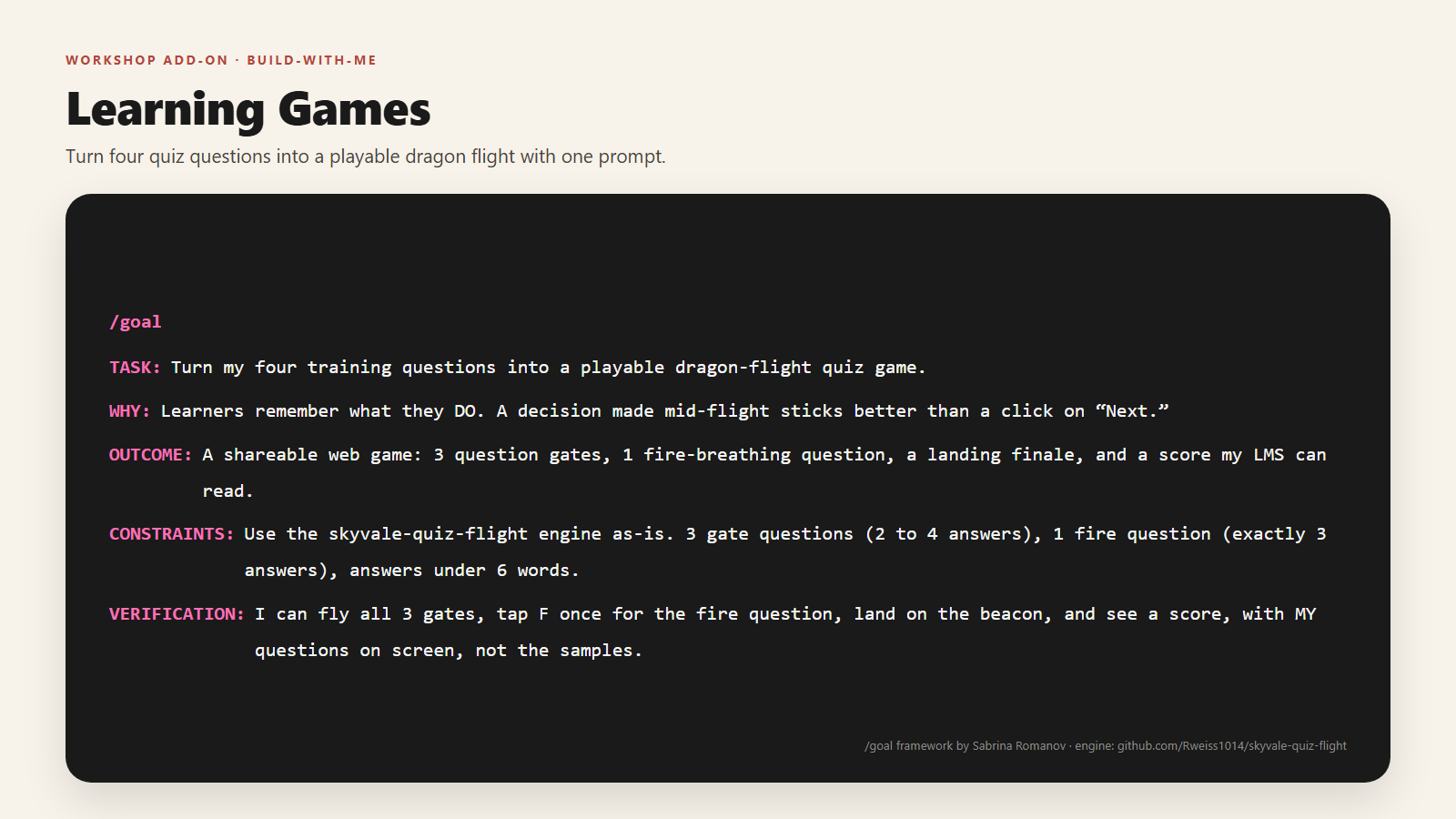
Learning Game Edition, what we built today:
/goal
TASK: Turn my four training questions into a playable dragon-flight quiz game.
WHY: Learners remember what they DO. A decision made mid-flight sticks better
     than a click on "Next."
OUTCOME: A shareable web game: 3 question gates to fly through, 1 fire-breathing
     question, a landing finale, and a score my LMS can read.
CONSTRAINTS: Use the skyvale-quiz-flight engine as-is (never rewrite the flight
     physics). 3 gate questions with 2 to 4 answers, 1 fire question with exactly
     3 answers, every answer under 6 words. Passing score 300.
VERIFICATION: I can fly through all 3 gates, tap F once to answer the fire
     question, land on the beacon, and see a score, with MY questions on
     screen, not the samples.
Notice what changed and what did not. The five slots are identical. Only the content moved, from "build me a toy" to "build me a teaching tool." That is the whole workshop in one slide: the framework is reusable, you swap the brief.
Blank template, fill in yours:
/goal
TASK: Turn my four training questions about ______________ into a playable
      dragon-flight quiz game.
WHY: ______________ (what should your learners feel or remember?)
OUTCOME: A shareable web game: 3 question gates, 1 fire question, a landing
      finale, and a score my LMS can read.
CONSTRAINTS: Use the skyvale-quiz-flight engine as-is. 3 gate questions (2 to 4
      answers each), 1 fire question (exactly 3 answers), answers under 6 words.
      Passing score ______.
VERIFICATION: I can fly all 3 gates, tap F once for the fire question, land on
      the beacon, and see a score, with MY questions on screen.
Tip: TASK, OUTCOME, and CONSTRAINTS can stay almost verbatim. Your voice lives in WHY. That is the slot that makes it your learning game.
The five slots are not a game trick. This exact framework is how I built my Lovable conference page for this session. Swap the brief and it builds websites, dashboards, whatever you need. Here are two you can copy straight into Claude Code.
/goal
TASK: Build a one-page website for my conference session where attendees can grab everything in one place.
WHY: Nobody retypes a link from a slide. If the materials are one tap away, people actually use them after the session.
OUTCOME: A clean single page with my session title, a short welcome, download buttons for my handouts, a copy button for each prompt I share, and an email signup.
CONSTRAINTS: One page only, mobile first, my brand colors, no login, no database. Big readable text. Every download and copy button works on a phone.
VERIFICATION: On my phone I can open the page, download a handout, copy a prompt with one tap, and submit the signup form./goal
TASK: Build a simple resource hub page for my team's training materials.
WHY: My team loses links in email and chat. One stable page beats fifty pinned messages.
OUTCOME: A single page with sections for each course, download links, a short description of each resource, and a search box that filters as you type.
CONSTRAINTS: Static site, no accounts, loads fast on training room wifi. Keep it to one page I can update by editing one file.
VERIFICATION: I can find any resource in under ten seconds with the search box, and every link downloads the right file.The handout is the whole workshop, but these go deeper if you want them.
The minute-by-minute run sheet: pre-flight checklist, timing, talking points, and a failure-modes table for running this session yourself.
Download .mdA plain-language tour of the skill's contents and why it's built the way it is, engine frozen, content swappable.
Download .mdThe five-slot structure on its own, original vs. learning-game vs. blank template, ready to reuse for your next brief.
Download .md
The game engine and skill source, MIT licensed. Fork it, read it, or install the skill directly
with npx skills add Rweiss1014/skyvale-quiz-flight.
You wrote two things: a clear brief (that five-part /goal structure) and good questions. The AI handled the rest, guided by a skill that carries the hard-won lessons so you never hit them.
And that skill-making move works for anything you do twice. Onboarding checklists, style reviews, report formats. Write the judgment down once, and it scales.
It's not a PowerPoint. You're welcome.
/goal framework by Sabrina Romanov. The game engine and skill live at github.com/Rweiss1014/skyvale-quiz-flight, built by Rachel Weiss with Claude Code.